How to disable a D-Bus service

In some situations, you might want to disable a D-Bus service. One of those is, for example, when you use Dunst (a notification daemon) with a window manager. Still, you don’t want it to replace the notification daemon from your desktop environment. To disable it, you just need to add .disabled to the end of the target file name. Example: sudo mv /usr/share/dbus-1/services/org.knopwob.dunst.service /usr/share/dbus-1/services/org.knopwob.dunst.service.disabled In the above example, Dunst will no longer replace Plasma Desktop notification daemon when using that amazing desktop environment, and all will be good with the world again. Victory! :)

16 de setembro de 2021

How to set up a simple Wireguard VPN

Install Wireguard I’m using a Debian virtual machine for the server. In Debian 10, you’ll need to install the following two packages: apt install wireguard-dkms wireguard-tools Set up keys First, navigate to /etc/wireguard (If not created, run mkdir /etc/wireguard as root) and then run the following commands as root: wg genkey | tee laptop-private.key | wg pubkey > laptop-public.key wg genkey | tee server-private.key | wg pubkey > server-public.key ...

15 de fevereiro de 2020

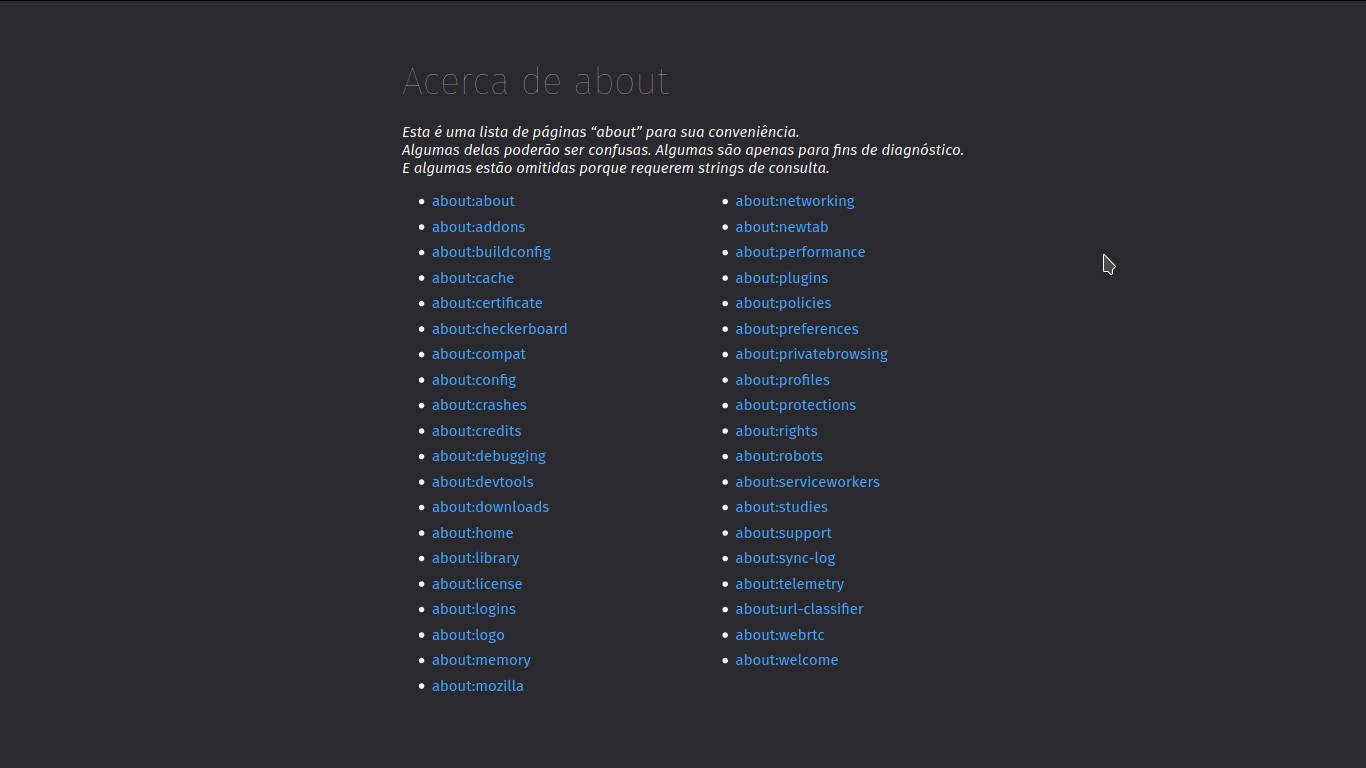
#LPT: access Firefox's 'about:' pages

To access all the Firefox’s about: pages, just type about:about in the address bar.

17 de dezembro de 2019

Must have extensions for Firefox

I’ve been a Firefox user since version 1.0, and the Mozilla Suite before that. Shamefully, I also used the infamous Internet Explorer long before that crap evolved to something close to a browser but not quite and still shitty. During all my years with this browser, I’ve come to use a handful of extensions that I consider essential. The list has changed over the years and has taken many forms. The current one is as follow: ...

09 de agosto de 2019

How-to customize the Bash prompt

In order to adapt a bit more my Debian Stable installation to my workflow, I’ve been tweaking the bash prompt. Simplicity and small line width are key here, because I often have tmux running with several panes in the same window and small panes with large one-liner prompts suck a lot! Everything feels crammed and hard to read. Just take a look at the image below to get an idea. ...

21 de setembro de 2018

Bash: how-to improve history manipulation

By default, up and down keys allow you to navigate your bash history. Another option is the history built-in command and bash expansions (ex.: !2 runs the second command, oldest to newest, from your bash history). There are also tools, like bash-it, that allow for better history manipulation, but this also adds a lot of other stuff, so it might make your .bashrc load slower. It will make your bash look good as hell too. ...

10 de agosto de 2018

How to get good font rendering in Void Linux

This post lacks an example image because I’ve recovered it from a backup (with only text and no image) and I’m not using Void Linux at the moment. If you follow this guide and decide to share an image, I’ll gladly use it here and give you credit. This guide assumes you are using Void Linux (you can probably replicate it in other distributions; just check the paths), have Freetype installed and using some sort of Window Manager or Desktop Environment. If you don’t, sudo xi them. After that, fire up a terminal and create a symbolic link, from the following files in /usr/share/fontconfig/conf.avail/, to /etc/fonts/conf.d: ...

24 de julho de 2018