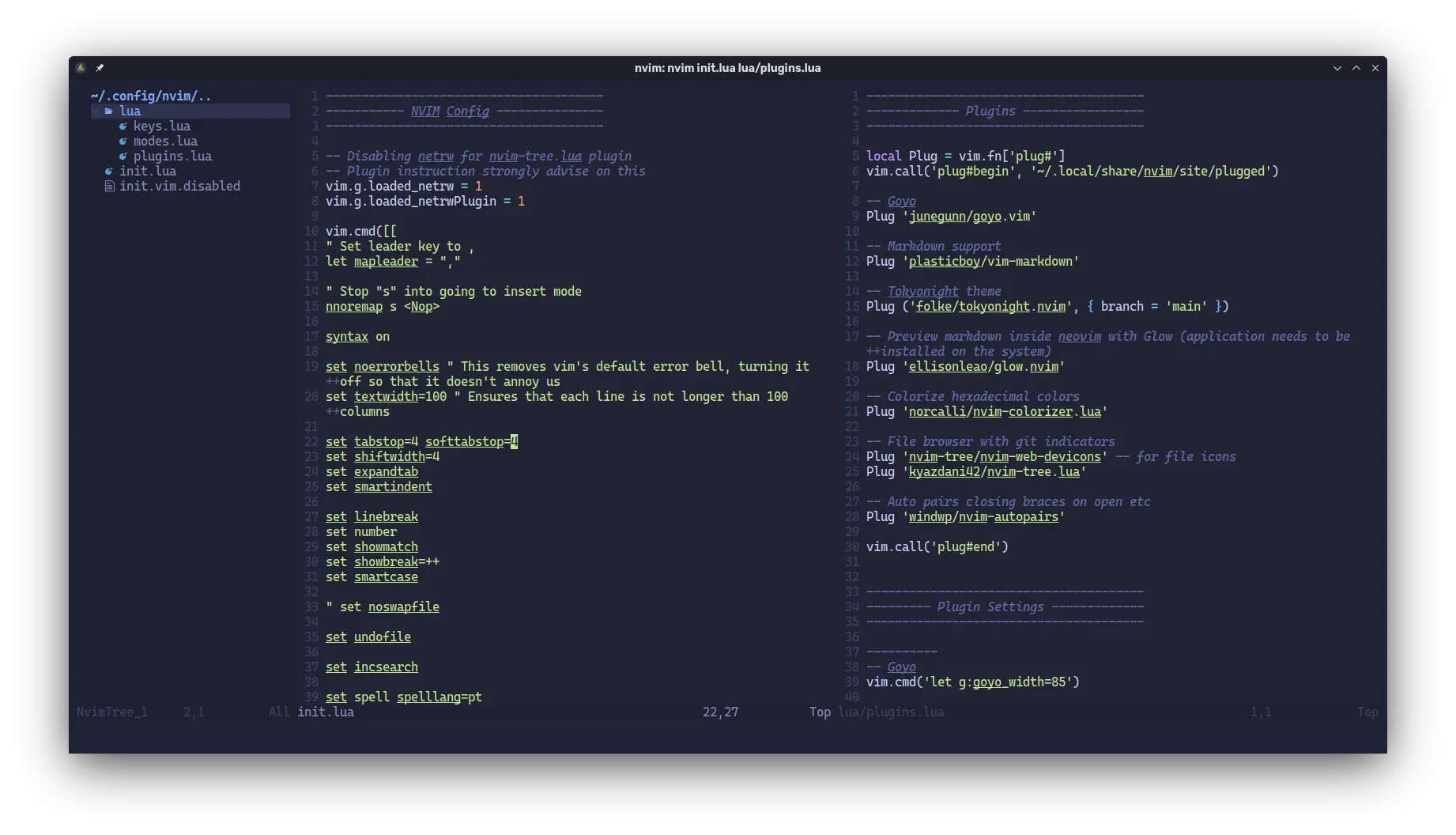
Testing Neovim for my writing needs
I’ve started to use Neovim for writing text but also for putting up the occasional script
I’ve started to use Neovim for writing text but also for putting up the occasional script
A few days ago, I decided to give Emacs another try. I’ve previously attempted to use this text-editor / operating system — probably about 10 years ago or maybe a bit more — but never got the hang of it. A few years after my first try at Emacs, I discovered Markdown. Since then, I’ve used text editors with a GUI to write in this markup language. That was until two years ago when I encountered a Vim mode for Markdown and adapted it to my specific needs. It has been one of my main tools to write, but I don’t really like the Vim keybindings. ...
With no special order: Desktop environments and/or window managers plasma (to me, the best desktop environment for any free software operating system) i3wm (paired with picom [https://github.com/ibhagwan/picom] for transparency, blur and rounded corners) Terminal emulators konsole (I’ve grown very fond if this terminal emulator since I switched to the plasma desktop, and it has blur for the blings ;)) urxvt-unicode (with tabbedex, so I can have tabs with it) Text editors micro (my favorite and because it supports gui keybinds, although it’s a cli text editor) nano (simple and super useful, available by default in a lot of linux distributions) vim (I have a custom mode for writing markdown text) gedit (for when I need a text editor with a gui) Note taking qownnotes Browsers firefox (my favorite for around a decade and an half. I actually used the 0.x versions) chromium brave falkon Multimedia gimp (and a fork named glimpse) darktable lightzone (like darktable) jpegoptim optipng oxipng youtube-dl System tools htop gotop cat scat (for when I need to ‘cat’ a file with syntax highlight) less watch (I like to keep a pane opened on tmux with the hardware temperature [watch -n1 ‘sensors -A | egrep “edge|temp”’]) openssh dotdrop (for the dotfiles backup) tmux (I love this terminal multiplexer) tmuxinator (useful if you want to open tmux with any number of panes by default) broot (a cli file manager with vim-like keybinds and commands) fzf integrated with bash (because fuzzy search rocks) pacman (because I use EndeavourOS, basically Arch with a graphical installer) What about you? What are your tools of trade in a Linux system?

I’ve been looking for a simple but powerful solution for managing my dotfiles, either the ones on my personal computer or the ones I use on virtual machines. After taking a look at a few options, I think I’ll give dotdrop a try and publish a new post as soon as I feel I’ve evaluated it enough.
By default, up and down keys allow you to navigate your bash history. Another option is the history built-in command and bash expansions (ex.: !2 runs the second command, oldest to newest, from your bash history). There are also tools, like bash-it, that allow for better history manipulation, but this also adds a lot of other stuff, so it might make your .bashrc load slower. It will make your bash look good as hell too. ...
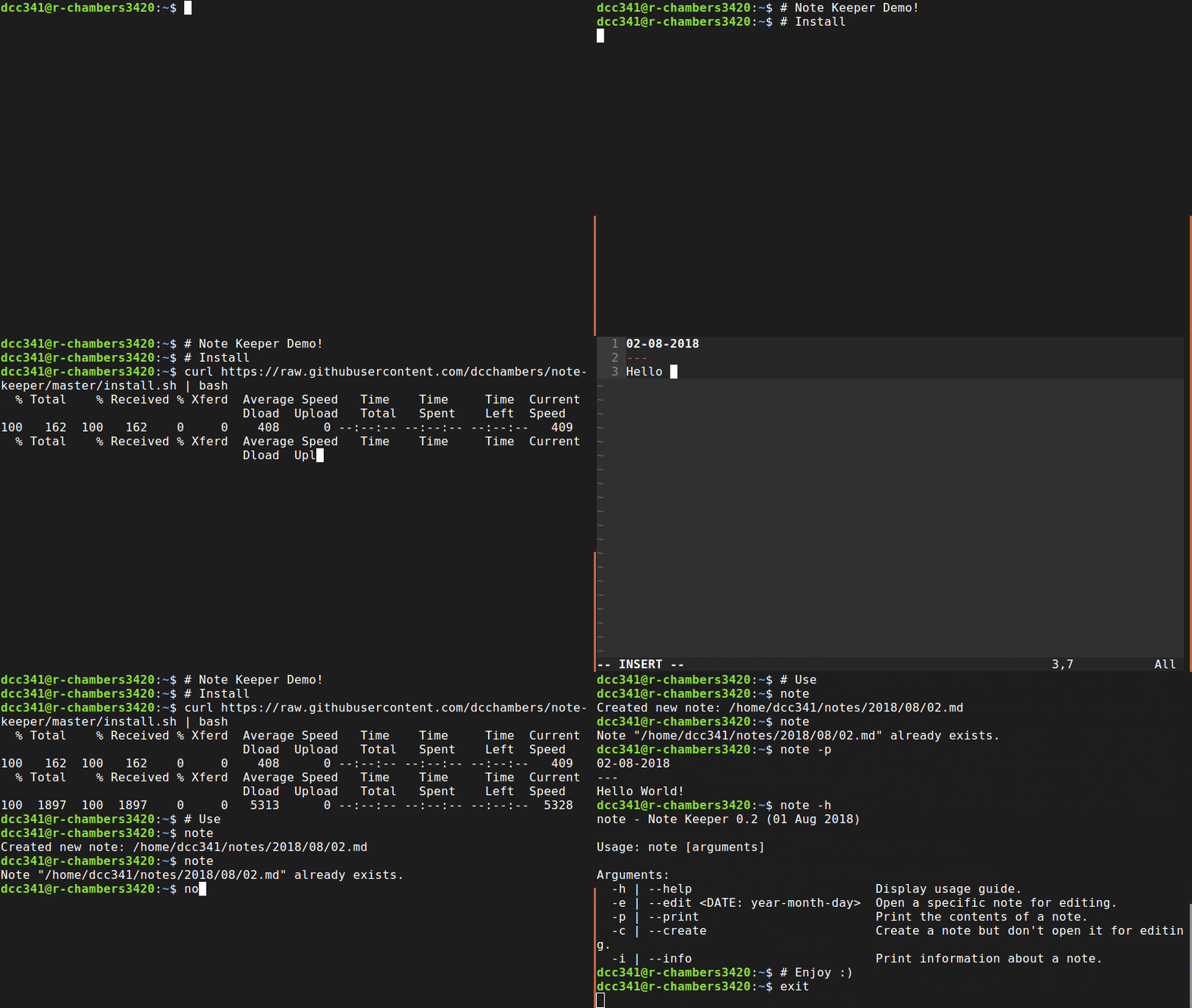
note-keeper is a small bash script to simplify the creation, editing and management of notes. It uses the text editor set up in the $EDITOR environment variable, but if that variable is empty it defaults to Vim in insert mode. (the image from this post is the one found in the script repository at the time of this article publishing)